Resources
How to fix a WIFI router no network
Troubleshooting GUIDELINE
o1 Introduction
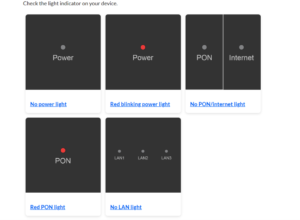
Step One: Check If the Router Light Is White or Red
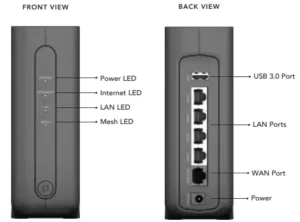
Step Two: The Optical Network Router (ONR) has these three lights turned on (Power, PON, LAN1)
Step Three: Unplug the power cable from both the router and the modem and wait 1min – 3min, then power them back on
Step Four: Run a speed test at the URL: https://www.speedtest.net/
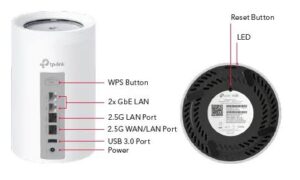
Step Five: If you really cannot, please press the reset button at the back of the router (Please let IT know before doing so: Marcus or Victor).
02 Photo Guide
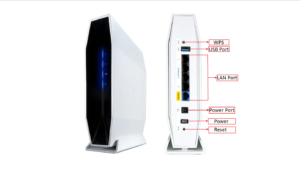
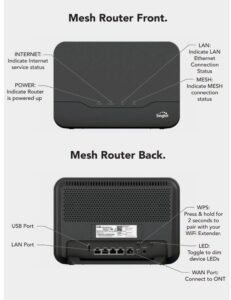
Please refer to the correct router base on your store.
Resources